In both the web and mobile apps, you can add internal comments for you and your instructors, or share comments with members as class feedback on the message board in the Dojo Login student app.
Add comments in the web app
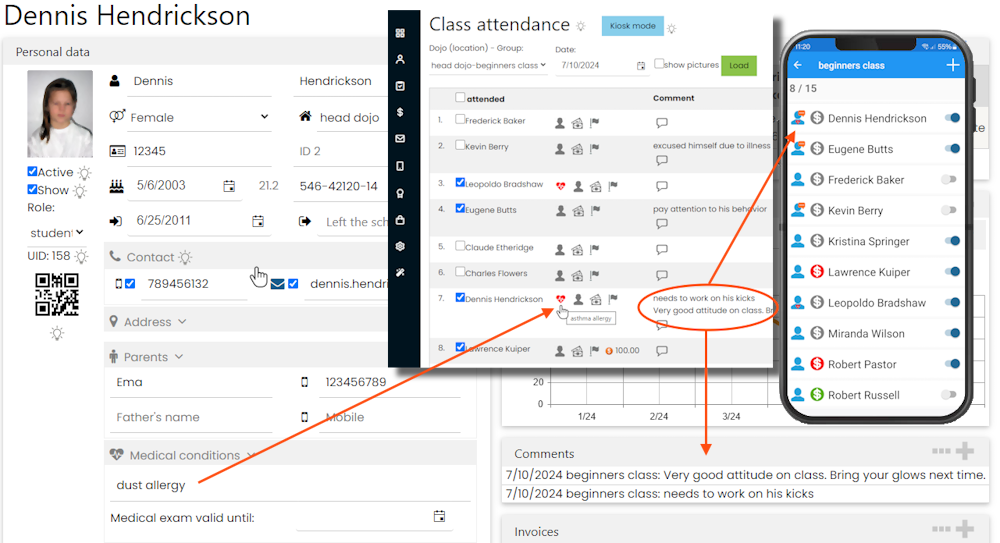
In the "Comments" section of a member's profile, click the "+" icon to add a comment or the "..." icon to view all comments.
On the attendance list, click the comment icon to add a comment. A red heart icon also appears if a member has medical records.
Add comments in the mobile app
In the mobile app, you can add comments from the attendance list or the "Comments" submenu in a member's profile. Recent comments also appear on the dashboard. Update to version 8.5 or later to access this feature.
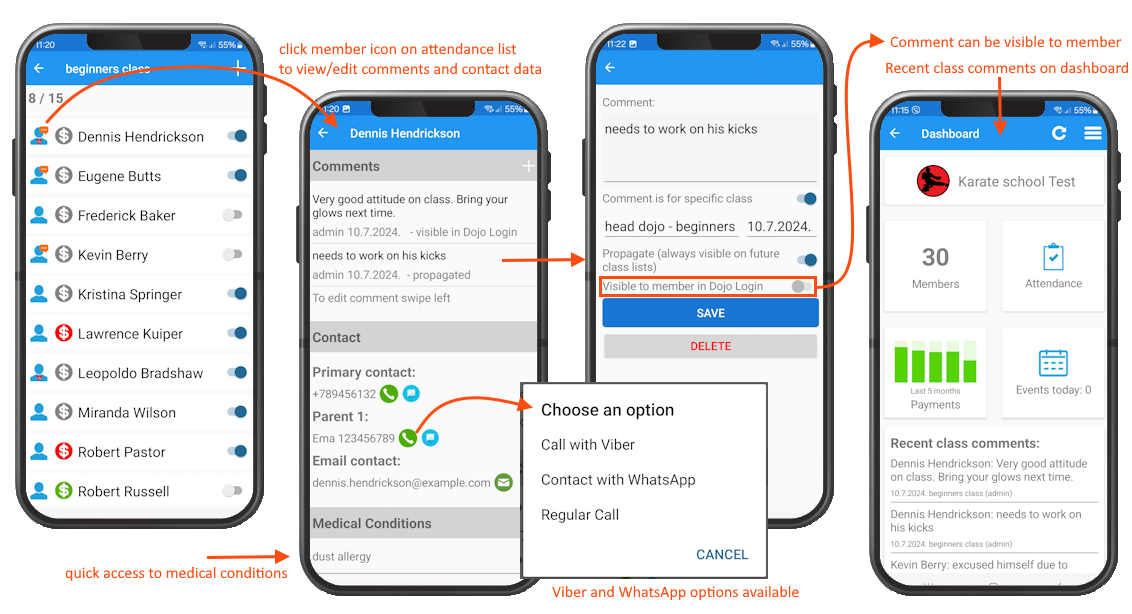
The same screen displays medical records and contact details, with options to call or send a message using Viber or WhatsApp.
Comment options
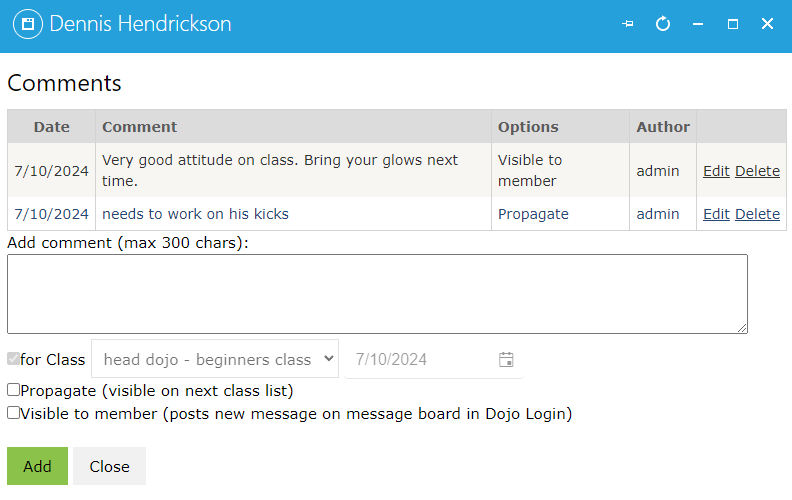
There are three options you can set per comment:
- For class - assign the comment to a specific class and date, or leave it as a general comment. General comments appear only in the member's profile, not on attendance lists.
- Propagate - enable this option to keep the comment visible on attendance lists for future classes until you turn it off
- Visible in Dojo Login - enable this option to share the comment with the student in the Dojo Login mobile app. It will appear as a new message on the message board, and the member will receive a push notification. Use this to give students feedback on their performance in class.
If you have multiple user accounts for instructors, each comment records the username so you can see who posted it. Instructors can use comments to discuss a student's performance.
Monitor comments
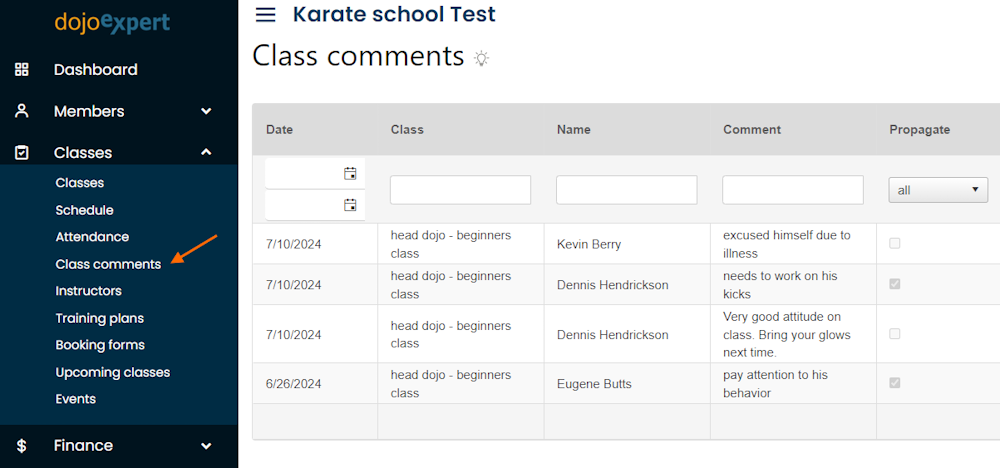
You can view recent comments on the mobile app dashboard. For a more detailed view in the web app, open "Class comments" in the "Classes" menu:
Class comments are also supported in the "Leads" section.
Try DojoExpert for 14 days free:
and download our app for Android or iOS: